Using OpenCode CLI Instead of Copy-Pasting from ChatGPT
Install and configure the OpenCode CLI so AI writes code directly into your project folder instead of you copying it from a chat window.
#ai #opencode #cli #tooling #workflow
Copy-pasting from ChatGPT breaks down fast: you lose track of which file a snippet belongs to, and the AI never sees the rest of your project. OpenCode runs in your terminal inside your project folder, so it reads your real files and writes code straight into them.
This pairs with the Prompt Flow — same discipline, better tool.
Prerequisites
Install Node.js
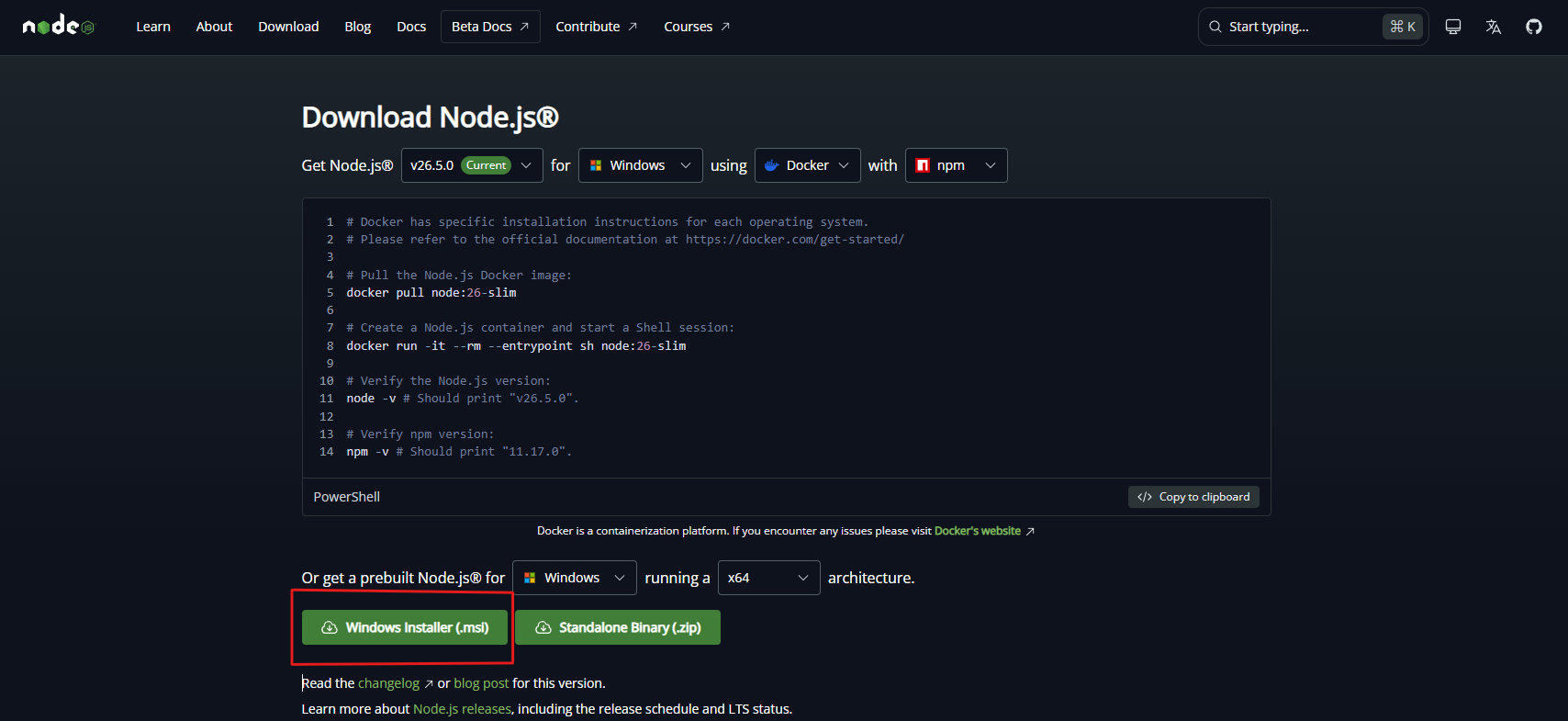
Download it from nodejs.org/en/download/current.
Choose the Windows Installer (.msi).
Verify the installation
Open Command Prompt (CMD) and run:
node -v
It should print a version number such as v24.12.0 — the exact version depends on
what you installed. If you get "command not found", close and reopen CMD first;
the installer only updates the PATH for new terminal windows.
Installing OpenCode
Install the package globally
In CMD or Git Bash:
npm install -g opencode-ai
Start OpenCode
If it didn't open automatically after installing, run:
opencode
Get an API key
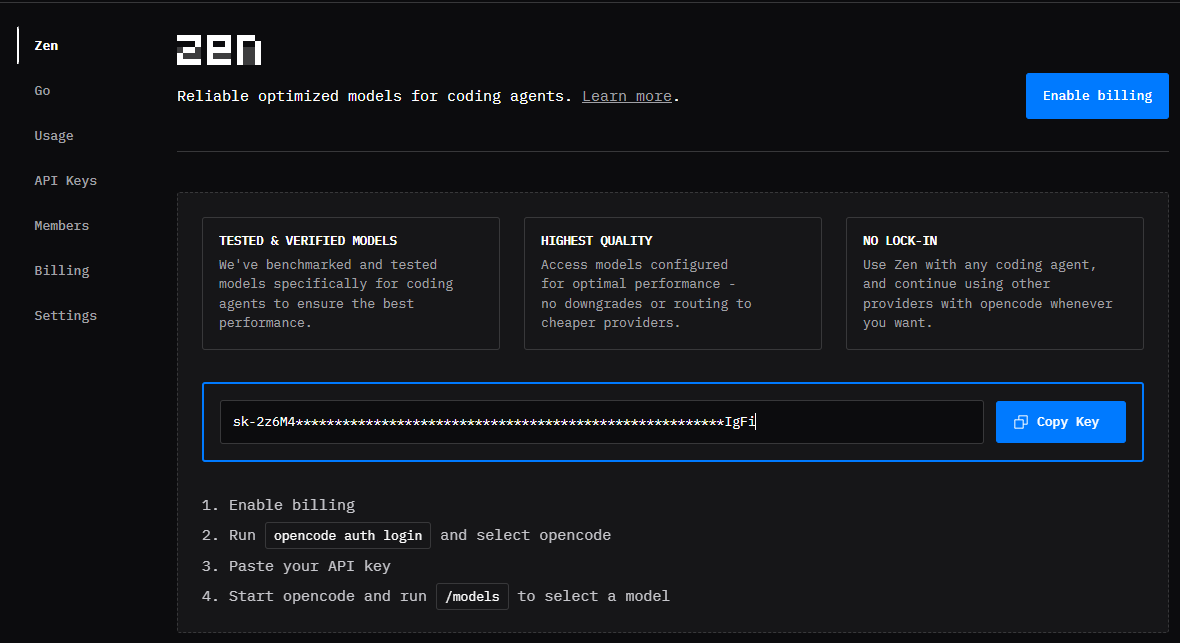
Open opencode.ai/zen in your browser, click Get started with Zen, and register or log in.
After registering, click Copy Key.
Connect the key
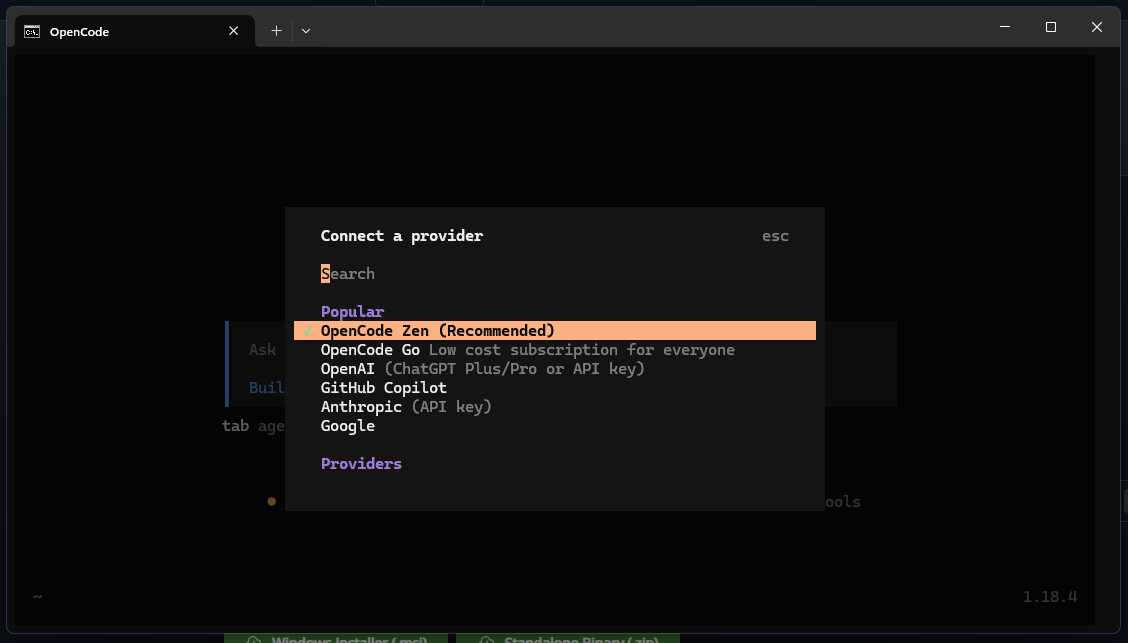
Back in the terminal where OpenCode is running, type /connect, choose
OpenCode Zen, then paste the key and press ↵.
Pick a model
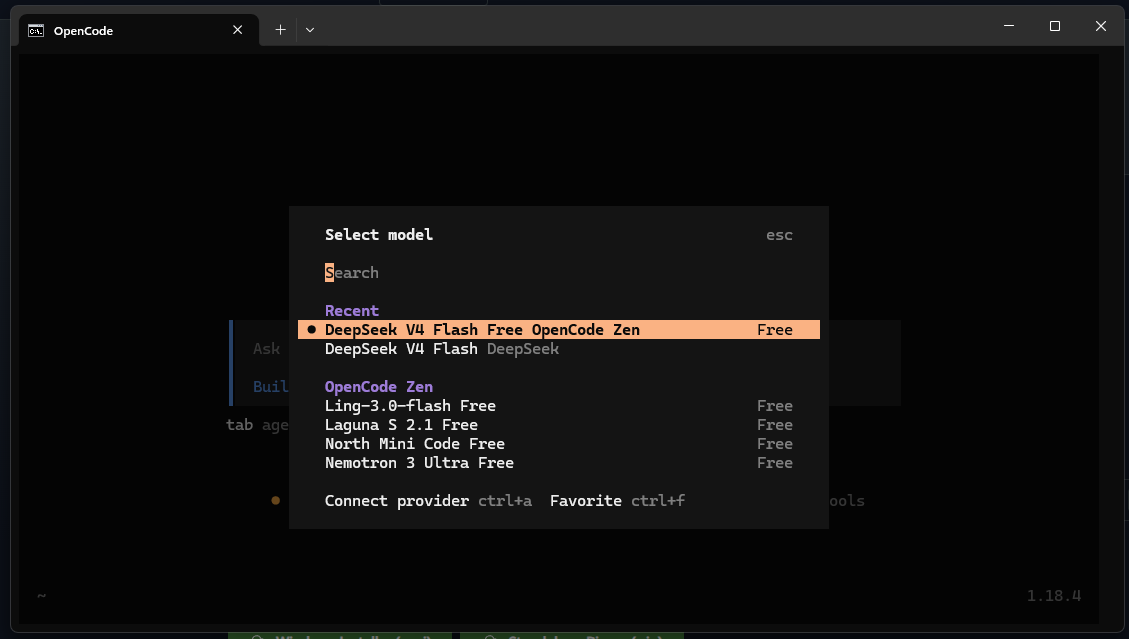
Type /models and choose a free one — for example DeepSeek V4 Flash Free.
Test it
Send any message to confirm the connection works before you start on real code.
Using it on a project
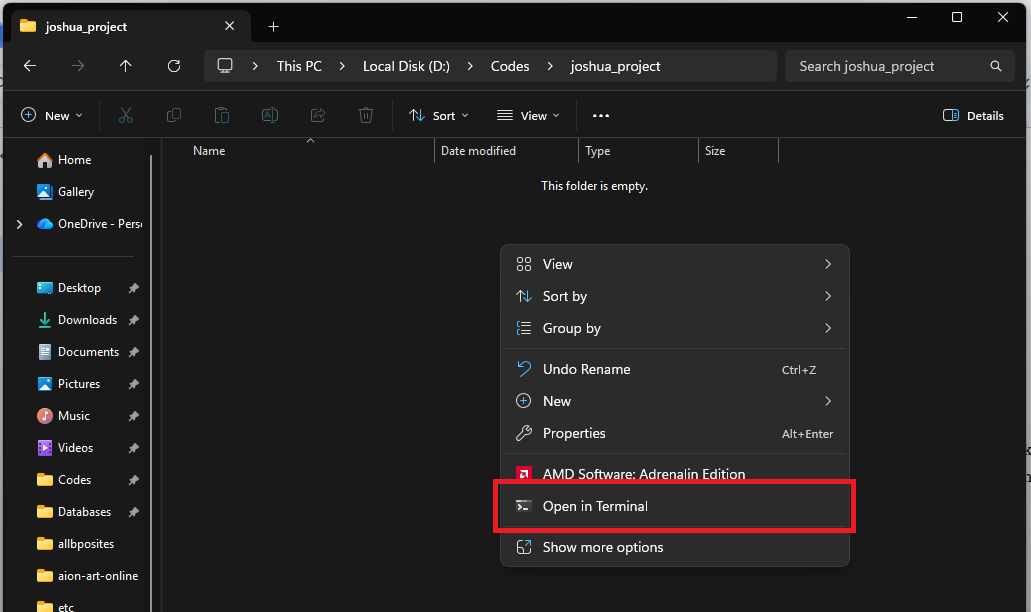
Open a terminal in your project folder
Right-click inside the folder and choose Open in Terminal or Open Git Bash here.
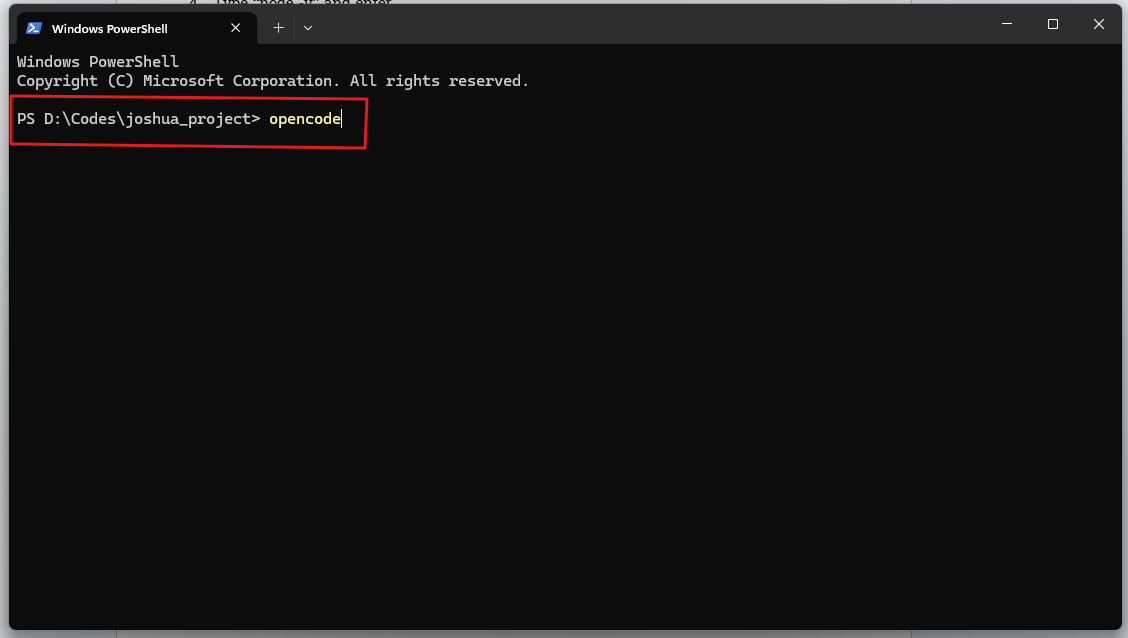
Run OpenCode
opencode
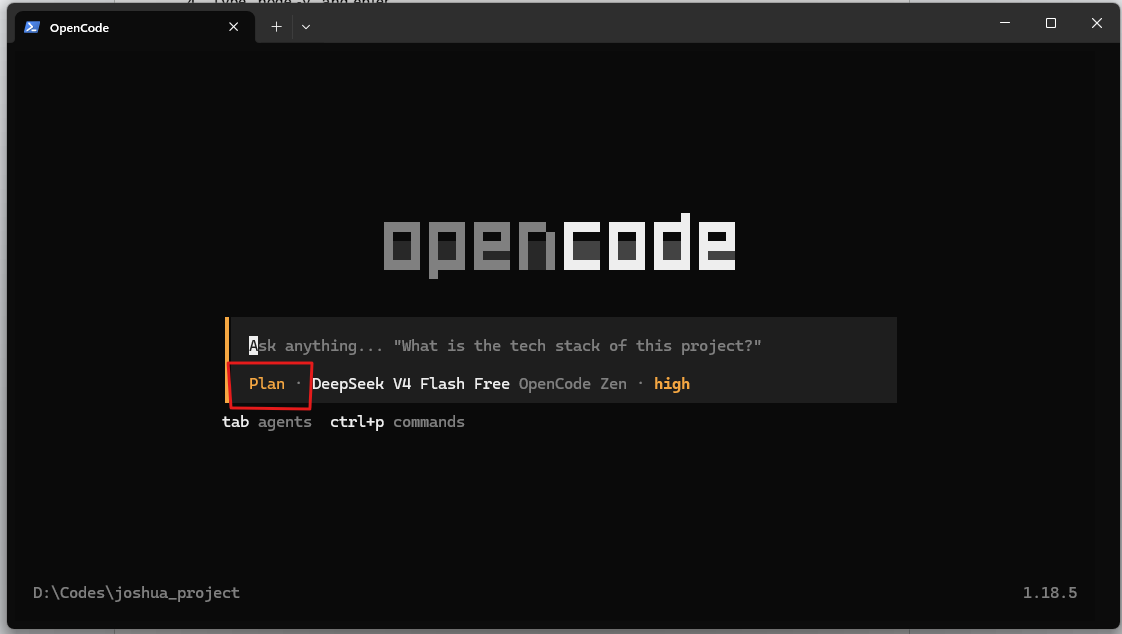
Switch between Plan and Build mode
Press ⇧ ⇥ to toggle.
- Plan mode — the AI proposes what it will do without touching your files.
- Build mode — the AI actually edits files.
Start building
Every generated file lands inside the folder you opened the terminal in — no copy-pasting, no guessing which file a snippet belonged to.
Habits worth keeping
Prompt Flow
A structured workflow for working with AI that emphasizes planning, review, and understanding before implementation.
Cheat Sheets
Step-by-step references students can follow on their own during class.